ESRGAN Image Upscaler
Image editing
Starting price $0.28 / run
By Recraft
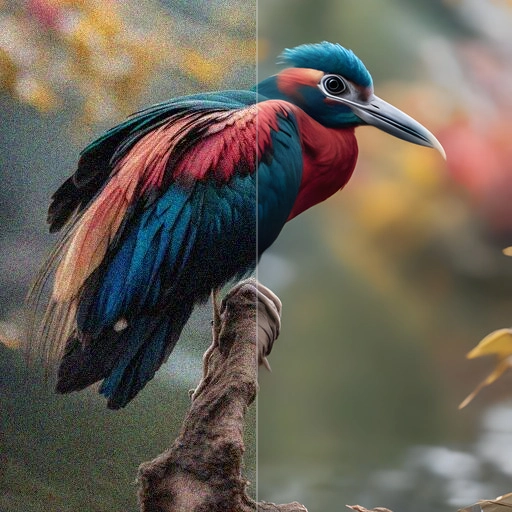
Recraft Upscale raises the resolution of a PNG image in one of two ways: Crisp keeps the content as it is, Creative also redraws fine detail and faces.
recraft/upscale/creativeThis model has other modes with their own ids: recraft/upscale/crisp.
Quote the input, start the generation with the quote, then poll the job. Set RAYWAKE_API_KEY first; see Authentication.
# 1. Price the exact input (quotes are valid for up to 10 minutes)
curl -s https://api.raywake.com/v1/quotes \
  -H "Authorization: Bearer $RAYWAKE_API_KEY" \
  -H "Content-Type: application/json" \
  -d '{
  "model": "recraft/upscale/creative",
  "input": {
    "image_url": "https://example.com/input.png"
  }
}'

# 2. Start the generation with the quote_id from step 1
curl -s https://api.raywake.com/v1/generate \
  -H "Authorization: Bearer $RAYWAKE_API_KEY" \
  -H "Content-Type: application/json" \
  -H "Idempotency-Key: $(uuidgen)" \
  -d '{"model": "recraft/upscale/creative", "quote_id": "QUOTE_ID", "input": {"image_url":"https://example.com/input.png"}}'

# 3. Poll until the status is terminal
curl -s https://api.raywake.com/v1/jobs/JOB_ID \
-H "Authorization: Bearer $RAYWAKE_API_KEY"| Name | Type | Description |
|---|---|---|
image_urlrequired | string (image URL) | The URL of the image to be upscaled. Must be in PNG format. |
sync_mode | boolean | If `True`, the media will be returned as a data URI and the output data won't be available in the request history. |
A succeeded job lists its results under outputs, stored on our side. See Jobs for every field.
"outputs": [
  { "type": "image", "url": "https://…", "mime_type": "image/png", "thumbnail_url": "https://…" }
]The exact charge for your input comes from a quote. How charges settle
Fields marked * are required. Review the price before generating.
Upload a PNG and pick a mode. Crisp makes the image larger, sharper and cleaner without changing what is in it. Creative raises the resolution too, but regenerates small details and faces, so they can look different from the original.
There is nothing to set: no prompt, no scale and no other options.
Inspect straight edges, lettering and small textures at full size. Compare the source and output at the same displayed size so enlargement alone does not look like a quality gain.