
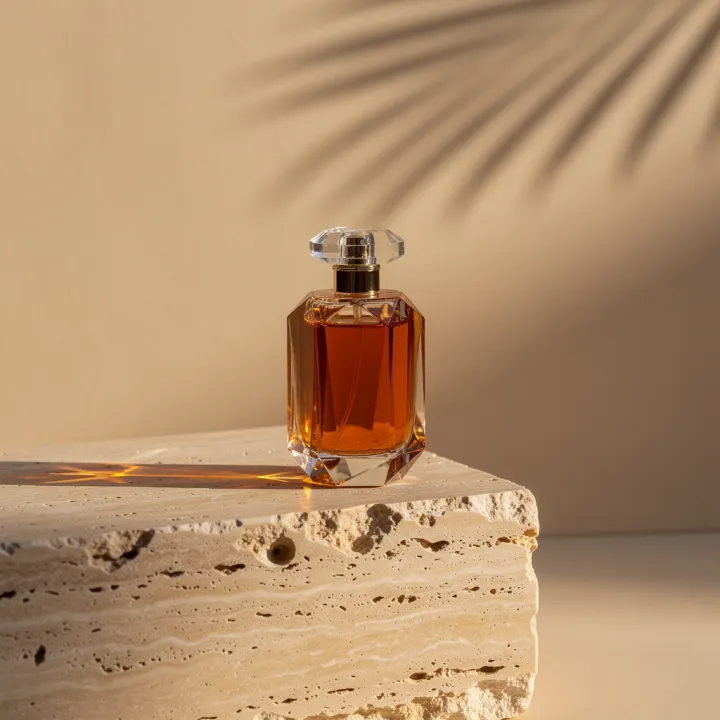
Build an AI product ad by approving the product image first, animating a simple shot, then adding precise copy in an editor. Raywake provides the image and video models in one studio. Price each intended run before starting it and reserve room in the budget for creative variations.
This is a production workflow, not a claim that a generated ad will improve sales. It uses existing Raywake examples to illustrate review decisions, without inventing customer results.
Define one shot and its delivery format
Write down the product, intended framing, movement and final placement. A vertical social clip and a horizontal product-page video need different compositions. Keep the important object away from areas that will later contain captions or interface overlays.
A concise motion brief might read: “A perfume bottle stays upright on a stone table. The camera slowly moves closer. Soft reflections travel across the glass. One continuous shot.” This is a suggested brief; it is not presented as the exact prompt for the car example below.
Approve the still before paying for motion
Use the product photography brief to establish the image. Inspect the silhouette, cap, material, label and crop. Correct a problem at this stage rather than hoping animation will remove it.
When lettering or a barcode must be exact, preserve the real source or add the final label in an editor. Our product label and barcode guide explains why attractive generated text is not proof of machine readability.
The one-API workflow article contains actual perfume-image outputs with recorded settings. These are examples for inspection, not a guarantee that another product will reproduce the same result.
Choose a motion model and check the quote
Start from the advertising-video brief or inspect Kling 3 Pro. Choose supported duration, aspect ratio and audio settings. Keep movement simple enough that the product remains readable.
Raywake shows the cost in USD before submission. Where the quote is usage-based, it is a maximum reservation; the final charge can be lower. Every deliberate new variation is another paid job. A failed job's released reservation is different from a successful clip that you decide not to use. Billing details
Review the whole clip
| Check | What to look for | What to do if it fails |
|---|---|---|
| Product identity | Shape, color, label and proportions remain stable | Simplify movement or revise the starting still |
| Composition | The object stays inside the intended crop | Adjust framing before another run |
| Motion | Camera and subject move as briefed | Change one motion instruction at a time |
| Text | Required words are exact and readable | Add precise copy in the editor |
| Ending | The last frame is usable for your cut | Trim or plan a separate closing card |
Finish and measure the result
Download the accepted file. Add approved headlines, captions, sound and any required disclosures in your normal editing workflow. Confirm music and input rights before publishing. This guide does not determine those rights for your project.
Record the number of paid attempts and the amount finally charged per accepted clip. For campaign performance, separately measure visits, registrations, first successful generations and purchases. A good-looking sample is not evidence of advertising effectiveness.
Common questions
Can I generate the final typography inside the video?
You can experiment, but exact commercial wording should be reviewed frame by frame. Adding final copy in an editor gives you direct control over spelling and layout.
Is one successful generation enough?
It may be, but a successful job only means an output was produced. Your creative acceptance criteria decide whether it is usable. Set an attempt budget before making variations.
Can I automate this workflow?
Yes. Approve the image and motion brief, then follow the image-to-video API workflow. Keep the spending approval and output review as explicit stages.
Plan a product shot in the studio