
Image
Seedream 4.5
Build a scene from a description. Explore architecture, landscapes and carefully composed visual stories.
- Text to image
- Image editing
Sign in to create. Review the credit cost in the studio before running.
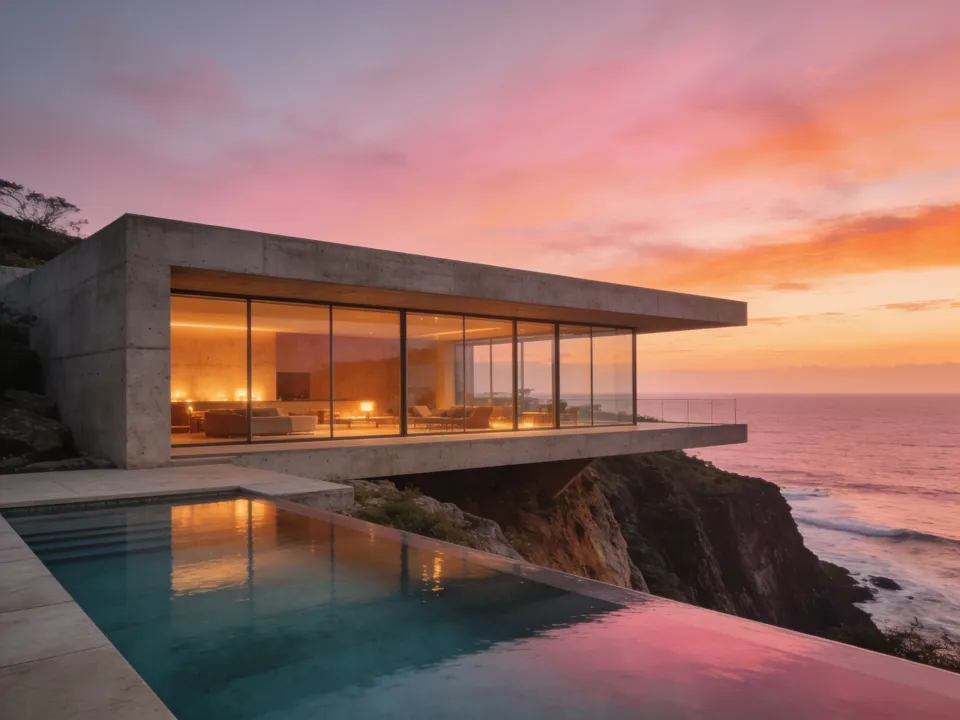
Generated with Seedream 4.5. An example of what you can create.
A starting point.
Explore architecture and landscape compositions from a written scene. The coastal-house example combines a large architectural form, an open horizon and warm evening light.
Try a prompt like this
A concrete house above a rocky coast at sunset. Wide architectural composition, clean lines, warm interior lights and a calm ocean horizon.
A suggested starting prompt, not the exact prompt behind the sample. Results vary with the input and settings.
Before you publish.
Review structural lines, perspective and reflections. Treat an architectural image as a visual concept, not a buildable plan or a factual rendering of a real property.
Review the quote before running. A failed generation releases its reserved credits. Download the results you want to keep; stored media is retained for 30 days.
Settings and model questionsCheck the available settings and guidance when preparing your input.
Inputs and settings
The featured endpoint creates images from a required text prompt. To preserve or change an existing image, select its image-editing mode instead.
Choose image_size for the layout and begin with one image. num_images counts separate generations; max_images can allow multiple outputs per generation, so they are not interchangeable.
Inspect the returned images before increasing the batch size. Request a quote for the exact settings rather than assuming the same cost for every size or output count.
How much does Seedream 4.5 cost per image on Raywake?
Request a Raywake quote with the exact image_size, num_images and other inputs. The returned credits apply to that request until the quote expires. The 7-credit image in our October 1 comparison is a dated sample with recorded settings; it is not a current price for every Seedream request.
Inputs, all modes and APIModel IDs, current input limits and the API generation workflow.
Supported inputs
These fields come from the current studio form for bytedance/seedream/v4.5/text-to-image. Other modes may require different inputs.
| Input | Type | Requirement | Options and limits |
|---|---|---|---|
prompt | Text | Required | — |
enable_safety_checker | On/off | Optional | — |
num_images | Whole number | Optional | ≥ 1 · ≤ 6 |
seed | Whole number | Optional | — |
Check the full model schema for all options and cross-field rules. Request a quote for your selected settings before generating.
Other modes and their inputs
Open the operation you need and check its inputs. Settings from one mode do not automatically apply to another.
Image editingbytedance/seedream/v4.5/edit
Supported inputs
These fields come from the current studio form for bytedance/seedream/v4.5/edit. Other modes may require different inputs.
| Input | Type | Requirement | Options and limits |
|---|---|---|---|
image_urls | List | Required | — |
prompt | Text | Required | — |
enable_safety_checker | On/off | Optional | — |
num_images | Whole number | Optional | ≥ 1 · ≤ 6 |
seed | Whole number | Optional | — |
Check the full model schema for all options and cross-field rules. Request a quote for your selected settings before generating.
Use Seedream 4.5 through the API.
Start with this model ID for the endpoint featured on this page:
bytedance/seedream/v4.5/text-to-image
Input requirements belong to this model ID. Check a different mode’s schema separately when switching modes.
Available modes
- text-to-image ·
bytedance/seedream/v4.5/text-to-image - image-to-image ·
bytedance/seedream/v4.5/edit
Check the current model schema for supported inputs and options. Other tasks may use different model IDs.
From quote to result.
Request a credit quote for your input and settings before submitting a generation. A sample output or the price of another model is not a quote for your request.
Follow the generation workflow, then poll the job for its status and result. The API and studio use the same balance.