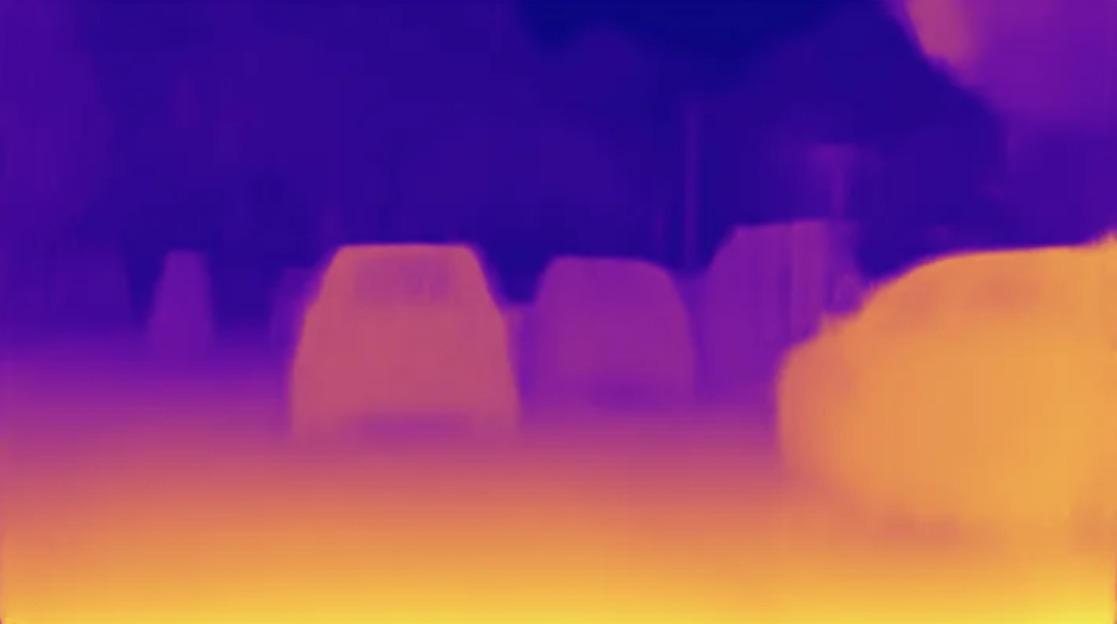
Depth Anything V2 Preprocessor
Image editing
Starting price $0.60 / run
Marigold Depth Estimation turns a single photo into a depth map that shows how far each part of the scene is from the camera.
imageutils/marigold-depthQuote the input, start the generation with the quote, then poll the job. Set RAYWAKE_API_KEY first; see Authentication.
# 1. Price the exact input (quotes are valid for up to 10 minutes)
curl -s https://api.raywake.com/v1/quotes \
  -H "Authorization: Bearer $RAYWAKE_API_KEY" \
  -H "Content-Type: application/json" \
  -d '{
  "model": "imageutils/marigold-depth",
  "input": {
    "image_url": "https://example.com/input.png"
  }
}'

# 2. Start the generation with the quote_id from step 1
curl -s https://api.raywake.com/v1/generate \
  -H "Authorization: Bearer $RAYWAKE_API_KEY" \
  -H "Content-Type: application/json" \
  -H "Idempotency-Key: $(uuidgen)" \
  -d '{"model": "imageutils/marigold-depth", "quote_id": "QUOTE_ID", "input": {"image_url":"https://example.com/input.png"}}'

# 3. Poll until the status is terminal
curl -s https://api.raywake.com/v1/jobs/JOB_ID \
-H "Authorization: Bearer $RAYWAKE_API_KEY"| Name | Type | Description |
|---|---|---|
image_urlrequired | string (image URL) | Input image url. |
num_inference_steps | integer | Number of denoising steps. Defaults to `10`. The higher the number, the more accurate the result, but the slower the inference. |
ensemble_size | integer | Number of predictions to average over. Defaults to `10`. The higher the number, the more accurate the result, but the slower the inference. |
processing_res | integer | Maximum processing resolution. Defaults `0` which means it uses the size of the input image. |
A succeeded job lists its results under outputs, stored on our side. See Jobs for every field.
"outputs": [
  { "type": "image", "url": "https://…", "mime_type": "image/png", "thumbnail_url": "https://…" }
]The exact charge for your input comes from a quote. How charges settle
Fields marked * are required. Review the price before generating.
Upload a photo and get back a depth map. Three settings trade time for accuracy: the number of steps, how many predictions are averaged into the final map, and the working resolution, which follows your image unless you set a lower one.
Check foreground separation and occluded edges. Do not interpret the image as measured distances.