
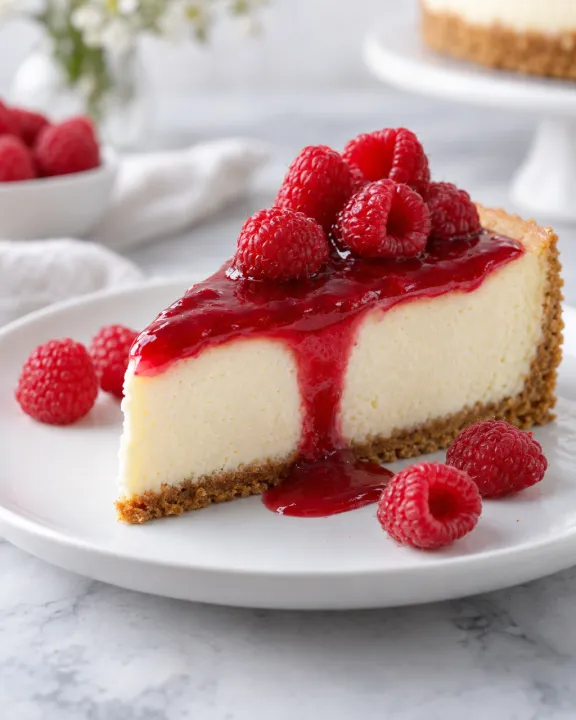
Qwen Image 2.1 Pro and Turbo generate images from text and edit existing images. Both return 1 to 6 images per request; their edit operations accept up to 10 reference images. On Raywake, Pro costs $0.07 per image and Turbo costs $0.03, for both generation and editing. Their size presets and negative-prompt controls differ, so choose the operation before copying a request.
Qwen Image 2.1 Pro and Qwen Image 2.1 Turbo cover the same basic decision: create a composition from words, or change a composition using existing images. Prices and settings are as of 31 October 2026. Compare outputs from your own brief to judge quality and speed.
Qwen Image 2.1 at a glance
| Control | Pro | Turbo |
|---|---|---|
| Text to image | Yes | Yes |
| Image editing | Up to 10 reference images | Up to 10 reference images |
| Outputs per request | 1 to 6 with n | 1 to 6 with n |
| Text generation default size | 2048*2048 | 2048*2048 |
| Edit default size | 1024*1024 | auto |
| Negative prompt | Available | Not listed |
| Price per image | $0.07 | $0.03 |
How much does Qwen Image 2.1 cost?
The price is per output image, rather than per input reference. The same listed image rate applies to the corresponding text and edit operations.
| Requested output images | Pro generation or edit | Turbo generation or edit |
|---|---|---|
| 1 | $0.07 | $0.03 |
| 4 | $0.28 | $0.12 |
| 6 | $0.42 | $0.18 |
Use a single image while changing your brief. A larger batch is useful once the subject, framing and intended use are settled. Changing n changes the number of outputs you are requesting, so retain it when comparing quotes. These totals multiply the per-image rate; check the quote for the request you intend to submit.
Which one should you use?
Choose Turbo when the documented controls meet your needs and the lower image price matters. Choose Pro when you need negative_prompt, which is available in both Pro operations but not in Turbo. That is a concrete input difference; the Pro name alone does not establish better typography, realism or prompt adherence.
For a fair practical comparison, start with the same text prompt, image count and shared size preset. Compare the actual details that matter to your deliverable, such as the crop of a product or the placement of a hand. Do not compare a square Pro edit against an automatic-size Turbo edit and attribute the framing difference entirely to the model.
How do image sizes and editing inputs differ?
Text generation uses prompt and supports square, landscape and portrait presets. Both text operations include 512*512, 1024*1024, 2048*2048, 2688*1536, 1536*2688, 2368*1728 and 1728*2368. The default is 2048*2048.
Editing adds the required image_urls array. Pro Edit retains those size presets and defaults to 1024*1024. Turbo Edit instead includes auto, 1280*720, 1920*1080 and their portrait counterparts, alongside other listed presets. Do not assume that changing only the model ID makes every size value valid.
Both text operations offer prompt_extend_mode values direct and agent. Editing lists only direct. If you want to compare your own wording, keep prompt-extension choices consistent. Raywake also lists custom as a size. Use an explicit preset unless you have checked how to specify custom dimensions.
How to call Qwen Image 2.1 through the API
Send a quote request with the exact operation ID. The example requests one Turbo image using a listed square size.
curl --fail-with-body https://api.raywake.com/v1/quotes \
  -H "Authorization: Bearer $RAYWAKE_API_KEY" \
  -H "Content-Type: application/json" \
  -d '{"model":"qwen-image-2.1-turbo","input":{"prompt":"A raspberry cheesecake on a white plate beside a softly lit window","size":"2048*2048","n":1}}'
For Pro generation, the ID is qwen-image-2.1-pro. For editing, use qwen-image-2.1-pro/edit or qwen-image-2.1-turbo/edit and add image_urls containing your reference URLs. Keep the prompt specific about the intended change: replacing a background is a different instruction from redesigning the object itself.
The example stops at the quote response. Read the quotes reference before integrating the next step. Keep the returned price together with the exact model and input settings so a later change in batch size does not get mistaken for the original request.
What should an editing prompt say?
State the change and the details you want retained. For a dessert photograph, a useful instruction is “replace the background with pale linen, keep the plate and raspberry topping.” That gives the edit a clear subject and a limited scope.
When supplying several references, explain their roles in ordinary language. Review whether the result follows those roles rather than assuming every detail will carry across. References guide an edit; check whether details you wanted to preserve have changed.
Common questions
Does Turbo cost less for editing too?
Yes. Turbo Edit is listed at $0.03 per image and Pro Edit at $0.07, matching their text-generation rates.
Can I request six images at once?
Yes. Set n to 6. The default is 1, and both families allow values from 1 to 6.
Which version accepts a negative prompt?
Pro and Pro Edit list negative_prompt. Turbo and Turbo Edit do not offer that field.
Can I reuse the same size for all four operations?
Only if that preset appears in each selected operation. Turbo Edit has a different preset list and defaults to auto.