
Ideogram V4.5 generates images, posters and logos with text, and its edit operation changes an existing image using a prompt, optional mask and up to four reference images. Both return 1 to 8 images per request. On Raywake, low quality costs $0.05 per image, medium $0.10 and high $0.35; editing also offers very_low at $0.02. The default quality is medium.
The Ideogram V4.5 page is a starting point when written words are part of the composition. You can include text in your images; check spelling and layout before using the result. Prices and settings are as of 31 October 2026. Choose generation or editing before selecting your inputs.
Ideogram V4.5 at a glance
| Setting | Text to image | Edit |
|---|---|---|
| Required inputs | prompt | prompt and image_url |
| Images per request | 1 to 8 | 1 to 8 |
| Default image count | 1 | 1 |
| Quality choices | low, medium, high | very_low, low, medium, high |
| Default quality | medium | medium |
| Default image size | square_hd | auto |
| Optional mask | Not listed | mask_url |
| Reference images | Not listed | Up to four |
How much does Ideogram V4.5 cost?
The listed rates are per output image. Multiply by num_images to budget a batch at the same quality.
| Quality | Text to image, one image | Edit, one image | Four images at that quality |
|---|---|---|---|
| very_low | Not available | $0.02 | $0.08, edit only |
| low | $0.05 | $0.05 | $0.20 |
| medium | $0.10 | $0.10 | $0.40 |
| high | $0.35 | $0.35 | $1.40 |
Choose a quality value supported by the operation. very_low belongs to editing and cannot be copied into a text-generation request. The table does not imply that a higher setting fixes every spelling or design issue.
Use a single image while refining the wording and composition. A batch becomes more useful when the brief is stable and you want alternatives. Quote again if you change the output count or quality.
How should you prompt for text in an image?
Write the exact words you want visible and make their role clear. A short poster title, a product name and a small caption are different layout elements. For a first attempt, keep the message short enough to inspect easily.
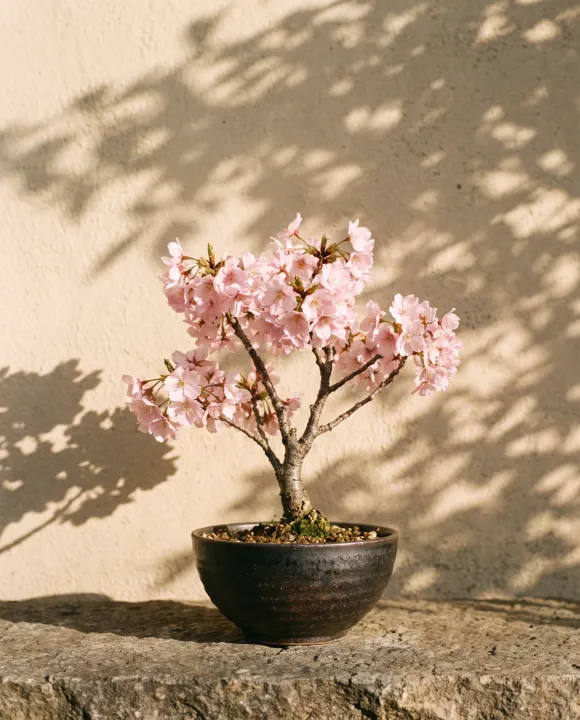
A prompt such as “Minimal botanical poster with the title GROW, a flowering bonsai below the title, cream background” specifies text, hierarchy and subject. It does not require an invented typography parameter. The actual request field remains prompt.
After generation, compare every letter with the requested wording. Check punctuation and whether text remains readable at the intended display size. Check the text even when the overall composition looks right.
When should you use the edit operation?
Use editing when you already have an image and want to change it. The model ID is ideogram/v4.5/edit. It requires image_url and prompt, with an optional mask_url and reference_image_urls array.
Editing accepts up to four reference images. Explain what each reference contributes to the intended result instead of assuming the model can infer your priorities from the collection.
edit_precision accepts regular or high, with regular as the default. High precision is designed to keep unchanged pixels intact. Use that option when preserving unedited areas matters, then verify the actual result around the edited boundary.
A mask is an edit input, not a text-generation input. Check the required mask format and which areas it marks for editing before submitting it.
Which image sizes can you request?
Text generation lists square_hd, square, portrait_4_3, portrait_16_9, landscape_4_3 and landscape_16_9. Editing adds auto and makes it the default.
Both operations also accept an object with height and width fields. Use a listed preset unless you have checked the supported custom dimensions.
Prompt expansion is available for text generation through enable_prompt_expansion and defaults to true. It is not listed for editing, so do not carry that field across when switching operations.
How to call Ideogram V4.5 through the API
The example quotes a square poster image at the default medium quality.
curl --fail-with-body https://api.raywake.com/v1/quotes \
  -H "Authorization: Bearer $RAYWAKE_API_KEY" \
  -H "Content-Type: application/json" \
  -d '{"model":"ideogram/v4.5","input":{"prompt":"Minimal botanical poster with the title GROW, a flowering bonsai below the title, cream background","quality":"medium","image_size":"square_hd","num_images":1}}'
To quote an edit, use the edit model ID and add your source image_url. Select an edit-supported quality and size, and include a mask only if you have prepared one for that workflow.
The quotes reference describes the response and subsequent API flow. The example stops at a quote and does not create a poster.
Common questions
Is very_low available for new images?
No. Text-to-image quality starts at low. very_low is listed only for editing.
Can Ideogram V4.5 produce several images?
Yes. num_images accepts 1 to 8 and defaults to 1 in both operations.
Is this the SVG endpoint?
No. For editable vector output, see the separate Ideogram Vector SVG guide. Do not infer SVG output from the ability to generate a logo image.
Can editing use reference images and a mask?
Yes. Editing accepts both inputs and allows up to four reference images, alongside the required source image and prompt.
Create an image with Ideogram V4.5