
Kandinsky 6.0 Pro and Lite generate 5-second 480p videos from text with optional sound. On Raywake, Pro text to video costs $2.14 per request and Lite costs $0.26. Pro adds guidance and negative-prompt controls, while a separate Pro image-to-video operation animates a starting image for $2.22 per request. Both text variants expose aspect ratio, inference steps and optional upscaling.
The Kandinsky 6.0 Pro and Kandinsky 6.0 Lite pages are useful starting points for short scenes. Prices and settings are as of 31 October 2026. Compare generated clips from your own scene to judge which version suits it.
Kandinsky 6.0 at a glance
| Setting | Pro text | Lite text |
|---|---|---|
| Base video | 5 seconds, 480p | 5 seconds, 480p |
| Audio | generate_audio, default true | generate_audio, default true |
| Aspect ratio | 16:9, 9:16, 1:1, 4:3, 3:4 | Same choices |
| Inference steps | 8 to 50, default 50 | 4 to 16, default 10 |
| Guidance scale | 1 to 10, default 5 | Not listed |
| Negative prompt | Available | Not listed |
| Request price | $2.14 | $0.26 |
How much does Kandinsky 6.0 cost?
Each listed operation has a price per request. The base clip is 5 seconds long at 480p.
| Operation | Listed price per request |
|---|---|
| Lite text to video | $0.26 |
| Pro text to video | $2.14 |
| Pro image to video | $2.22 |
Raywake prices these operations per request. Do not turn the listed request amount into a different duration package. Likewise, the presence of an upscaling input does not establish a separate price schedule; quote the exact settings when using it.
Lite is the lower-cost text option on Raywake. Pro's higher price buys access to a different operation and its extra controls, but the price alone cannot tell you whether its output will suit your scene better.
Which one should you use?
Choose Lite when you want to explore a short scene using the basic prompt, audio and framing controls. It is a practical budget choice for testing whether your composition works before deciding how much more iteration it needs.
Choose Pro when your request needs negative_prompt or an adjustable guidance_scale. Those fields let you express exclusions and set the guidance value. Start from the default and adjust one control at a time to judge how it affects your scene.
Choose Pro image to video when your starting point is an existing picture. That is a separate model ID with a required image_url.
How do audio, framing and upscaling work?
Both text variants default generate_audio to true. Set it to false when you intend to add sound in an editor. Keeping this choice explicit also makes a comparison easier to interpret: you know whether sound was requested in each version.
The text requests default to 16:9 and include portrait and square choices. Pick the delivery shape before refining the scene. A subject placed close to a landscape edge may need a different composition in a vertical frame.
The upscale_factor enum lists 2, 2.25, 4 and null. These are scaling options, not additional native-resolution claims. The base clip is still 480p. Do not label an upscaled result as a separately documented native generation mode.
Prompt expansion is available as enable_prompt_expansion and defaults to false. Leave it consistent while comparing your own wording. The inference-step ranges also differ, so a Pro value of 50 cannot be copied into Lite.
How to call Kandinsky 6.0 through the API
The following example quotes a Lite text request. It specifies the prompt, frame shape and audio choice using the supported input fields.
curl --fail-with-body https://api.raywake.com/v1/quotes \
  -H "Authorization: Bearer $RAYWAKE_API_KEY" \
  -H "Content-Type: application/json" \
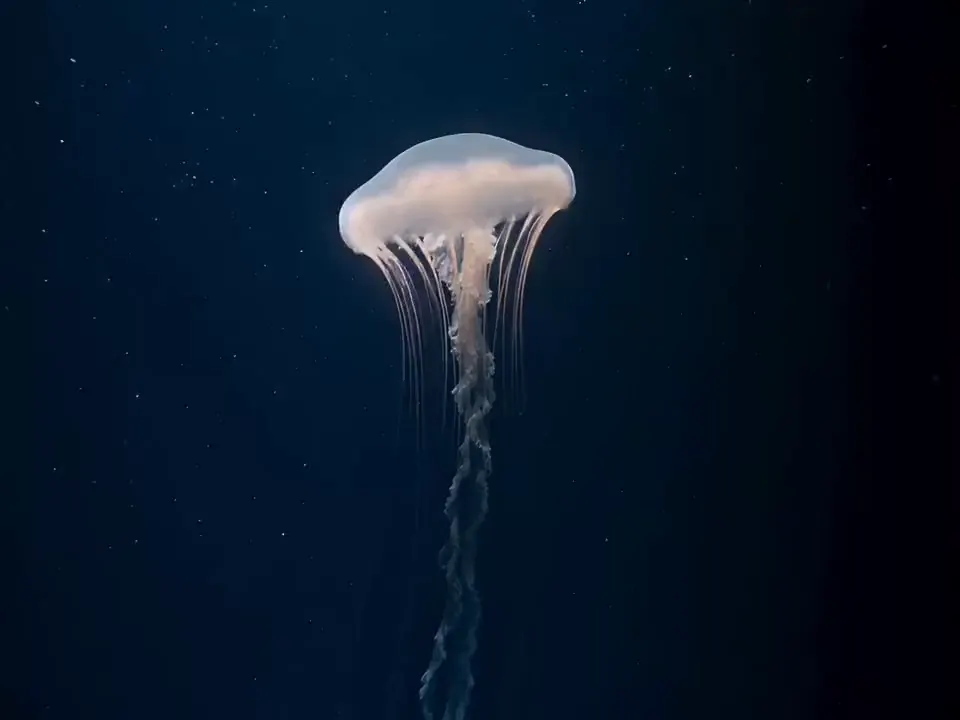
  -d '{"model":"kandinsky6-lite/text-to-video","input":{"prompt":"A pale jellyfish drifts upward through dark blue water, the camera holds still","aspect_ratio":"16:9","generate_audio":true}}'
For Pro text generation, use kandinsky6-pro/text-to-video. For the image operation, use kandinsky6-pro/image-to-video with both prompt and image_url. Pro image input also exposes guidance and a negative prompt.
Duration and base resolution are fixed properties of these operations, not request fields. Keep them out of the payload. See the quotes reference for the response and next integration step.
What makes a useful short-scene prompt?
Give the clip one visible action, a setting and a camera intention. “A jellyfish drifts upward through dark water, camera holds still” is easier to evaluate than a sequence of unrelated events. If you request sound, describe the atmosphere without relying on it to explain missing visual action.
Review motion, framing and unwanted objects separately. If the subject is wrong, rewrite the subject description before changing several numerical controls. That keeps each new result informative.
Common questions
Can I choose a longer duration?
These operations produce 5-second clips and have no duration input for requesting a longer video.
Can I turn sound off?
Yes. Set generate_audio to false on either text variant or on Pro image to video.
Does Lite accept a negative prompt?
Lite does not offer that field. Both Pro operations do.
Is Pro proven to look better?
The higher price and extra controls do not establish a quality advantage. Compare both versions on the same scene and judge the motion, framing and details you need.
Try a Kandinsky 6.0 video