
Depth Anything v2 is an image preprocessor for producing a depth map from a source image. On Raywake, the endpoint accepts one required field, image_url, with no prompt, resolution or tuning controls. It costs $0.01 per compute second, with a maximum of $0.60 per run. Use its depth information as an editing aid, without assuming measured real-world distances or a finished 3D model.
Open Depth Anything v2 when the task is to describe spatial structure in an existing image. It only needs an image URL, but the usefulness of the result depends on how your editor interprets the map. Prices and settings are as of 31 October 2026.
Depth Anything v2 at a glance
| Item | Raywake contract |
|---|---|
| Task | Depth preprocessing from an image |
| Model ID | image-preprocessors/depth-anything/v2 |
| Required input | image_url |
| Prompt input | Not listed |
| Resolution control | Not listed |
| Output-format control | Not listed |
| Rate | $0.01 per compute second |
| Maximum per run | $0.60 |
What is a depth map used for?
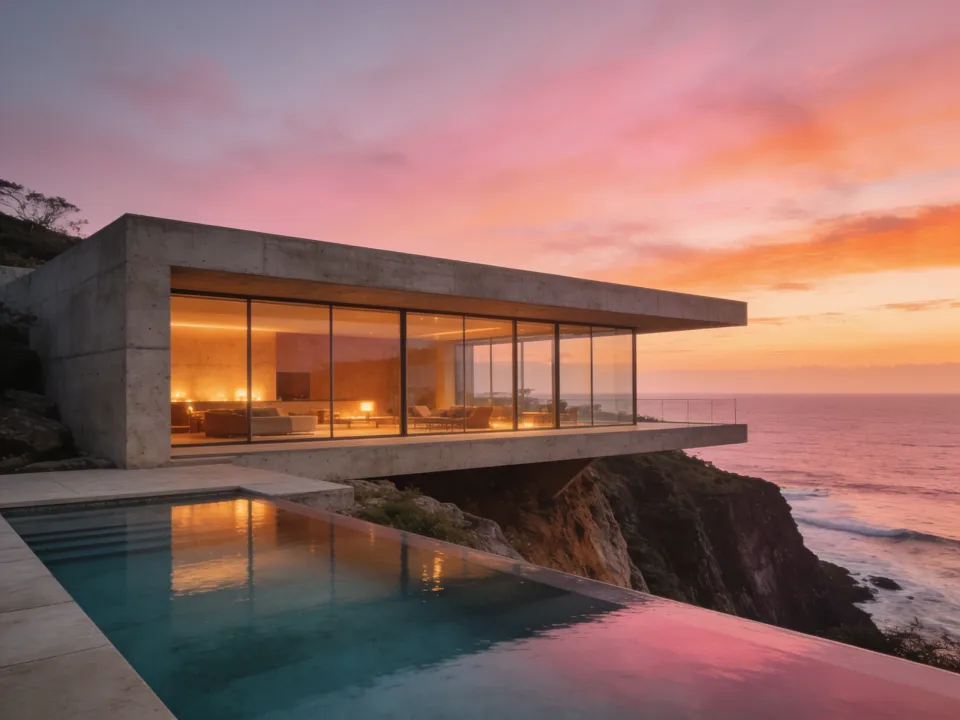
A depth map represents how parts of a scene relate in depth. Think of the difference between a nearby railing, a house behind it and the distant sea. An ordinary photograph records their appearance; a depth representation helps another tool treat those areas differently according to estimated distance.
That can be useful when preparing depth-guided blur, compositing or a restrained parallax effect in an editor that accepts depth information. The map is an intermediate asset. It does not apply every effect automatically, and this endpoint is not documented as a video generator.
A depth map is also different from a foreground mask. A mask addresses what to keep or remove. Depth addresses spatial ordering across the scene. If your immediate goal is simply isolating a product, BiRefNet v2 background removal is the more directly relevant operation.
How much does Depth Anything v2 cost?
Raywake lists a compute-time rate with a maximum run amount.
| Pricing item | Amount |
|---|---|
| Per compute second | $0.01 |
| Maximum per run | $0.60 |
This does not establish a flat per-image charge of $0.60. It is a maximum attached to compute pricing. It also does not establish how many seconds any particular image will take to process.
Use a quote with the source image you intend to submit. Do not estimate processing time from the number of visible objects or from a guessed resolution formula.
How do you prepare an image for depth work?
Choose an image with the scene you actually need to edit. If the final composition will be cropped, decide whether that crop should be the input, so the map and picture refer to the same composition.
Keep the source and resulting map associated in your project. Applying a map to a differently cropped or repositioned image can move the effect away from the objects it was intended to follow. That is a workflow alignment problem, not something a model name resolves.
For a first review, choose visible foreground, middle-ground and background areas. A scene with a pool edge, a building and the sea gives you recognizable regions to compare. This is a suggested inspection method, not a claim about a required scene type.
How to call Depth Anything v2 through the API
The quote request only needs the image URL. Replace the placeholder with a source you can provide.
curl --fail-with-body https://api.raywake.com/v1/quotes \
  -H "Authorization: Bearer $RAYWAKE_API_KEY" \
  -H "Content-Type: application/json" \
  -d '{"model":"image-preprocessors/depth-anything/v2","input":{"image_url":"https://example.com/coastal-house.jpg"}}'
The model ID is image-preprocessors/depth-anything/v2, even though its display name on Raywake is “Image Preprocessors.” Use the complete ID in code to select this depth operation.
Do not add a prompt asking for stronger depth or a larger output. This operation has no inputs for those controls. The quotes reference explains the quote response and the next step; this snippet stops before processing the image.
What should you check in a depth map?
Compare obvious spatial relationships with the source. A nearby object should be distinguishable from the background in a way your receiving editor can interpret. Inspect boundaries where objects overlap, then check thin structures and reflective or transparent areas before relying on the map for a strong effect.
Do not assume a brightness convention without checking the actual output and the consuming tool. Some workflows need a particular interpretation of near and far, so test a small effect before applying it across the composition.
Treat the result as estimated depth information for a compatible editor. Do not rely on it for real-world measurements in construction, navigation or camera tracking.
Common questions
Can I enter a text prompt?
No prompt field is listed. The documented required input is image_url.
Does the endpoint return a finished 3D scene?
Use this operation to prepare depth information for an editor, not to obtain a mesh, hidden surfaces or a complete 3D scene.
Can I choose the output resolution?
No. This operation has no resolution input; do not add one copied from another image tool.
Is the maximum charge a fixed price?
No. Raywake charges $0.01 per compute second, with a maximum of $0.60 per run.
Create a depth map with Depth Anything v2